
Creating and managing contracts
Find and filter contracts
Use search, filters and sorting to find the contract you need.
Last updated August 25, 2026
Open Contracts to search and organize the contracts in your organisation.
Search the contract list

Use the search field to look for a contract by:
- Contract name
- Email address
- Company name
Search works together with the active filters. If a contract is missing from the results, clear the search or filters and try again.
Apply filters
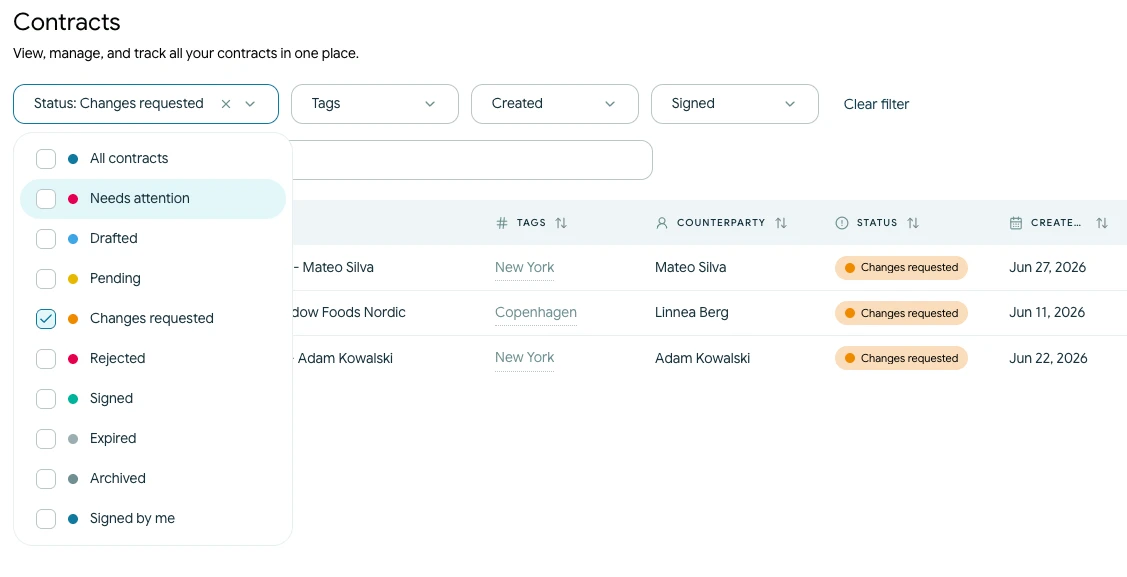
Use the available controls to narrow the list by:
- Status, including Drafted, Pending, Changes requested, Signed, Rejected and Expired
- Needs attention for contracts awaiting follow-up
- Created or signed date
- A preset or custom date period
- Tags
- Archived contracts
Select an active filter again or use Clear filter to remove it.
Sort and adjust the table
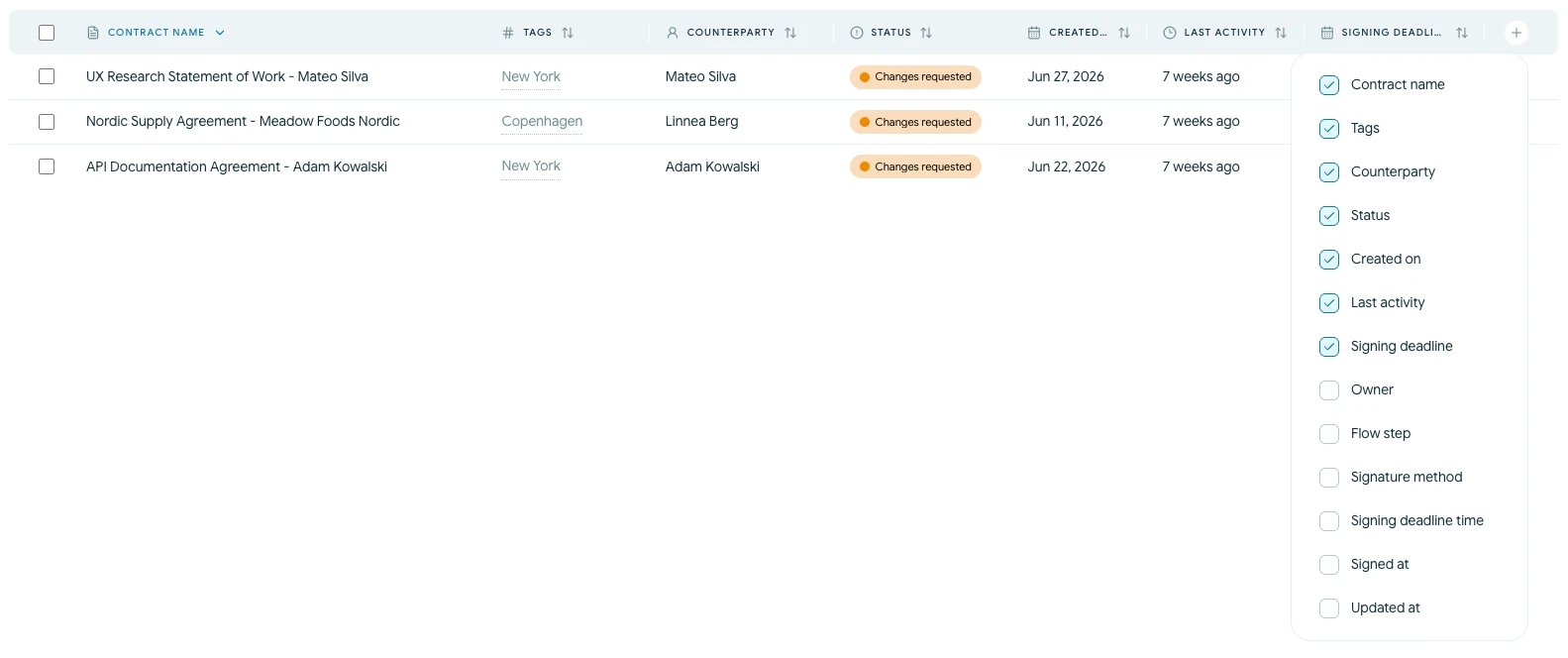
Select a column heading to sort the visible contracts. You can sort by fields such as contract name, status, creation date and latest activity.
Use the column control to show additional information, including the current flow step, signature method, signing deadline, signed date or updated date. Your available columns may depend on the screen width.