
Creating and managing contracts
Manage signing deadlines and reminders
Set when signing links close and choose how often pending signees receive reminders.
Last updated August 25, 2026
Before sending a contract, set a signing deadline and decide whether pending signees should receive automatic reminder emails.
Choose a reminder frequency
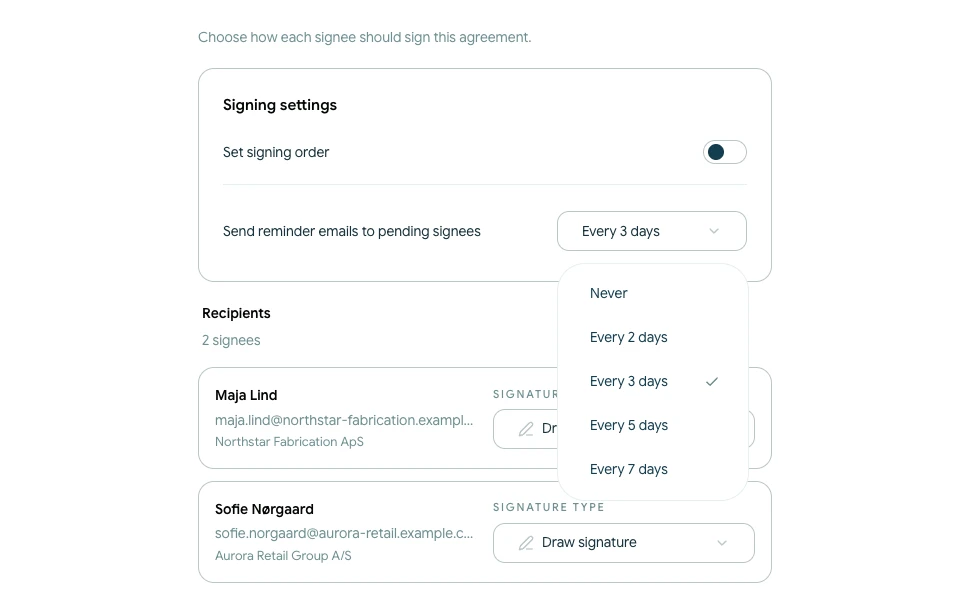
Open the Signature step. Under Send reminder emails to pending signees, choose:
- Never
- Every 2 days
- Every 3 days
- Every 5 days
- Every 7 days
Reminders are sent only to signees who are still waiting to complete their action. The selected frequency is part of the current contract's signing setup.
Set the signing deadline
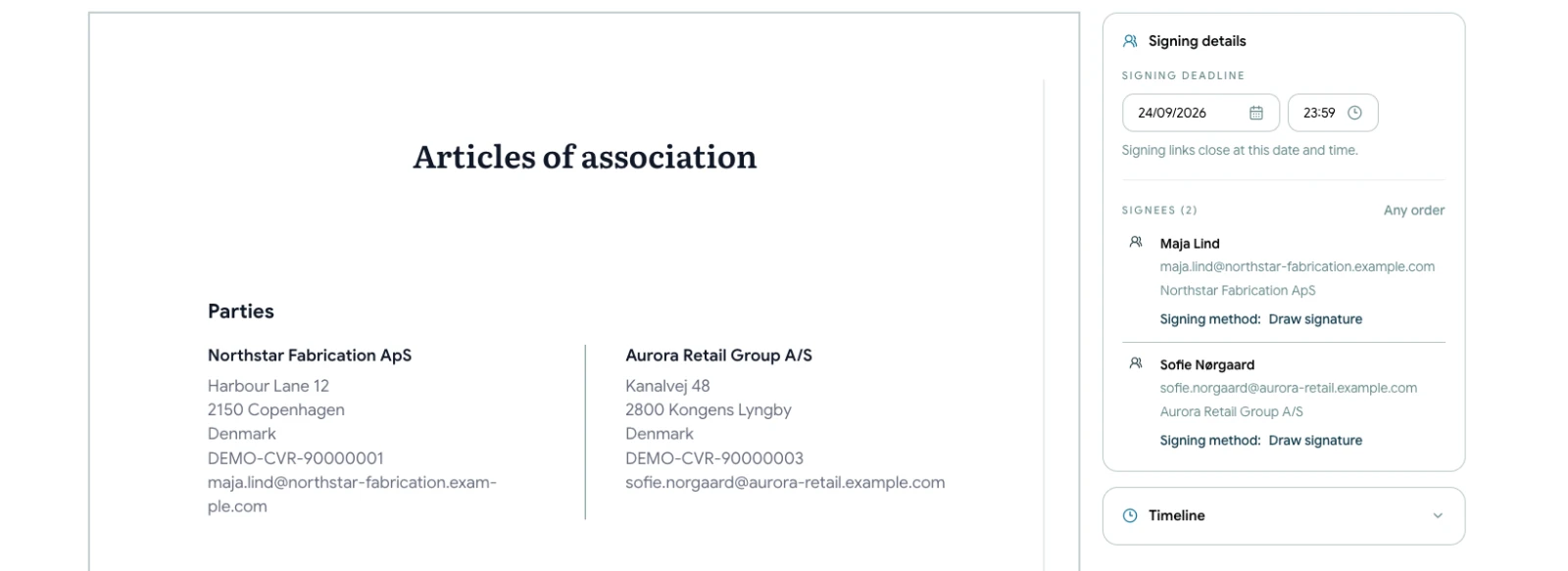
Continue to Review and choose the signing deadline date and time. The deadline must be in the future.
Signing links close at the selected date and time. If all required signatures have not been completed, the contract becomes Expired and the active links no longer work.
Check the settings before sending
Use the final review to confirm:
- The deadline gives every recipient enough time
- The reminder frequency is appropriate for the agreement
- Recipient email addresses are correct
The signing deadline controls the current signing window. It is separate from any expiry date written into the contract terms.