
Creating and managing contracts
Review a contract's activity and history
See recipient progress, review notes and important events for a sent contract.
Last updated August 25, 2026
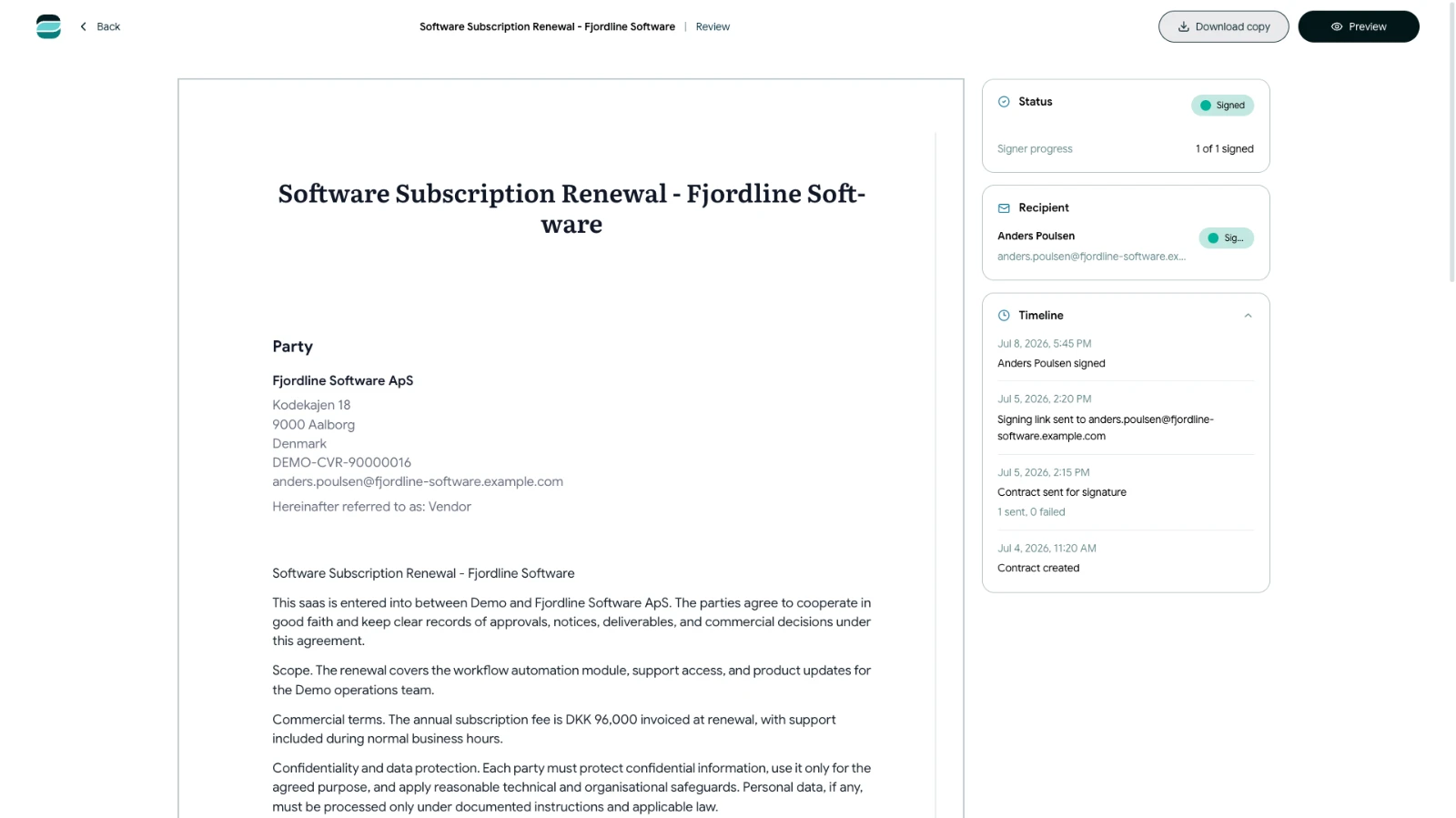
Open a sent or completed contract to see its current status and the actions recorded during the signing process.
Open the contract overview
- Open Contracts.
- Find the contract by searching or filtering the list.
- Select the contract or choose View from its actions menu.
The overview shows information such as the current status, latest activity, most recent sending time and signer progress.
Check recipient progress
Each recipient has a current state. Depending on their activity, Scriboflow can show that they are waiting, have viewed the contract, have signed or have rejected it. A signing request can also show as expired, replaced or revoked.
Review notes and timeline events
If a recipient requested changes or rejected the contract, read the available notes before deciding what to do next.
The timeline records important events such as:
- Contract creation and sending
- Recipient views and signatures
- Requested changes or rejection
- Reminder and resend activity
- Expiration, voiding, archiving or restoration
Use the timeline to understand the sequence of events. For more detail about recorded signing evidence, see the related security article.