
Creating and managing contracts
Add parties to a contract
Add the companies or individuals involved in a contract and assign their signees.
Last updated August 25, 2026
Parties are the companies or individuals involved in an agreement. Each party can have one or more people assigned as signees.
Add an existing party
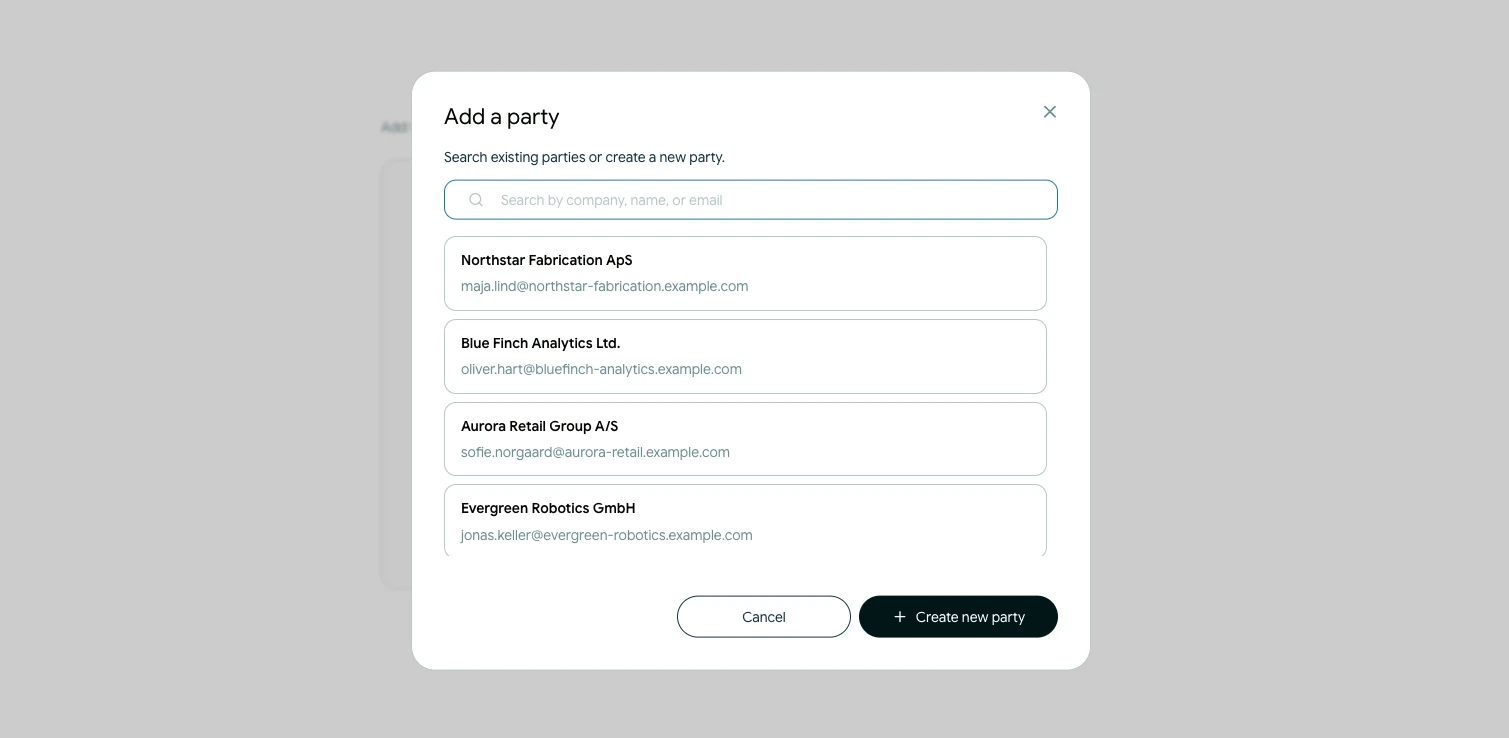
- Open the contract's Parties step.
- Select Add another party.
- Search the available parties by company, name or email.
- Select the party you want to add.
The saved party details are added to this contract. You can also set the wording used to refer to the party in the agreement.
Create a new party
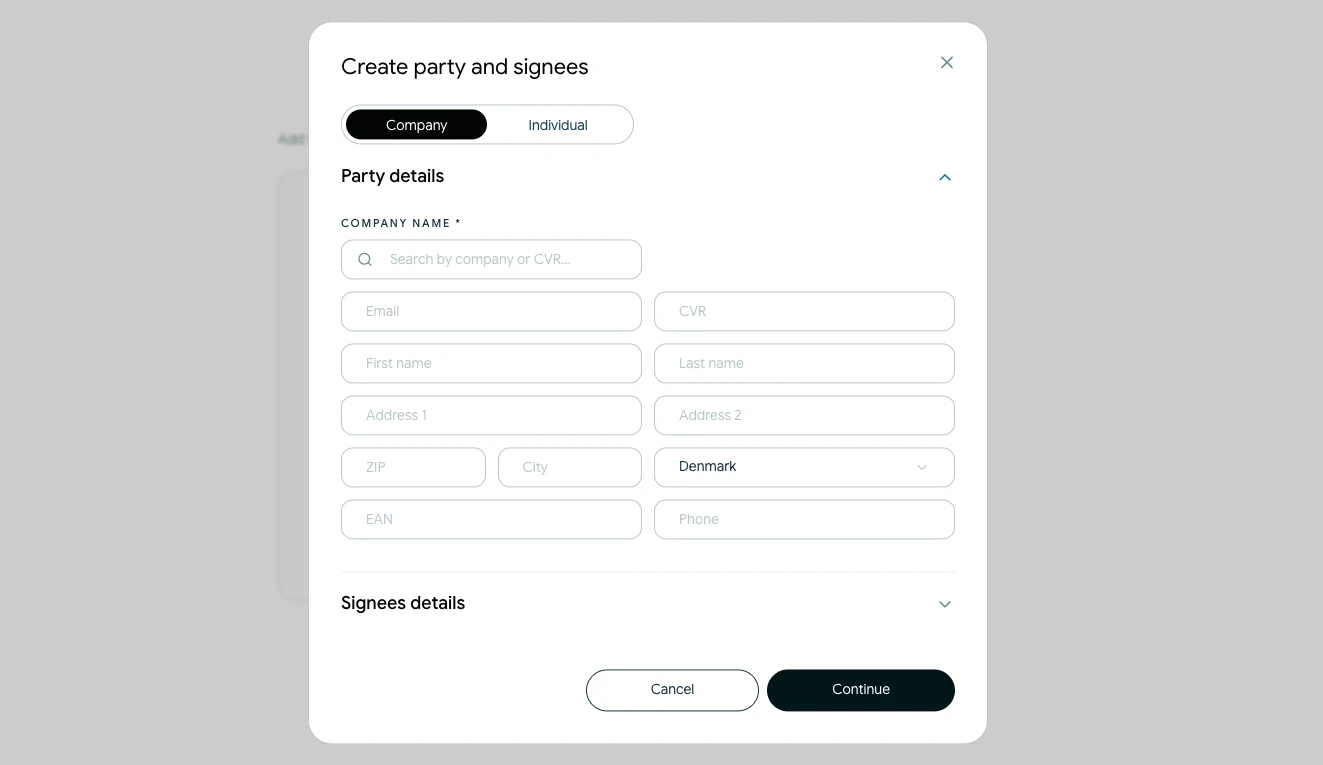
If the party is not already available, choose Create new party. Add the relevant company or personal details, then save the party. It becomes available to the contract and can be reused in future contracts.
Assign signees
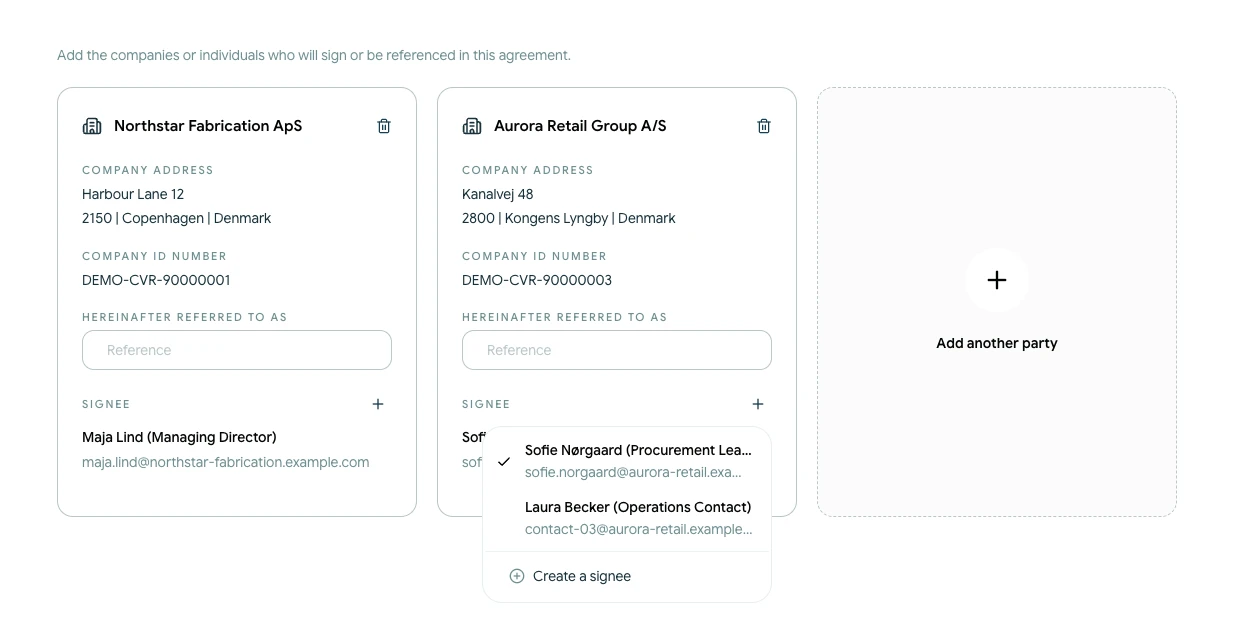
Select a saved signee for each party or create a new one. Every party must have at least one signee before you can continue.
Check names and email addresses carefully. These details are used later when Scriboflow prepares and sends the signing requests. You can change the signing order in the Signature step.
To remove a party from the current draft, use Remove party on its card. This does not delete the saved party from your organisation.