
Creating and managing contracts
Duplicate a contract
Create a separate draft copy of an existing active contract.
Last updated August 25, 2026
Duplicate a contract when you want a new draft based on an existing active contract without changing the original.
Create the copy
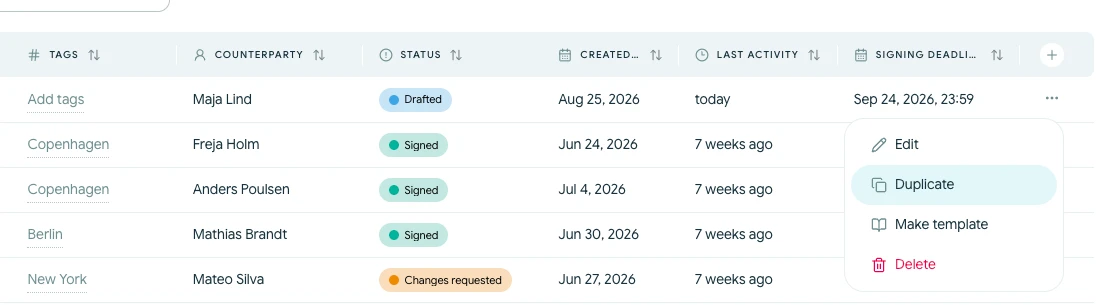
- Open Contracts.
- Find the contract you want to copy.
- Open its actions menu and choose Duplicate.
Scriboflow creates a separate draft and adds a copy suffix to its name. The copy can include the latest contract content, parties, signees, attachments and signing setup from the source contract.
Review the new draft
The duplicate is independent from the original. Changes to one contract do not update the other.
Before sending the copy:
- Give it a clear name
- Confirm that every party and signee is still relevant
- Update dates, values and contract terms
- Review attachments and sending details
- Set a new signing deadline
Previous signatures, active signing links and activity history are not transferred to the new signing cycle.
You can duplicate a completed, rejected or expired contract while it remains in the active list. If the contract is archived, restore it before checking its available actions.